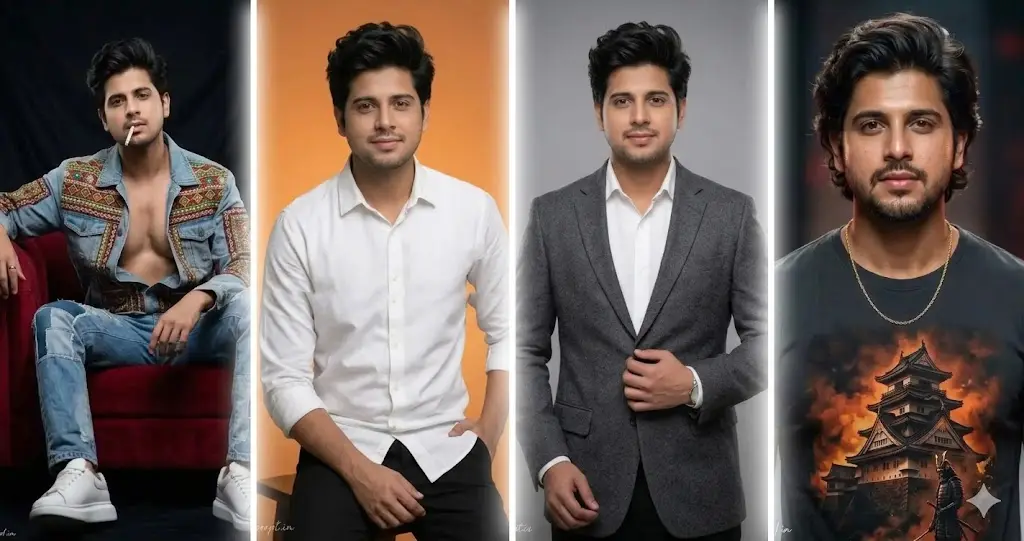
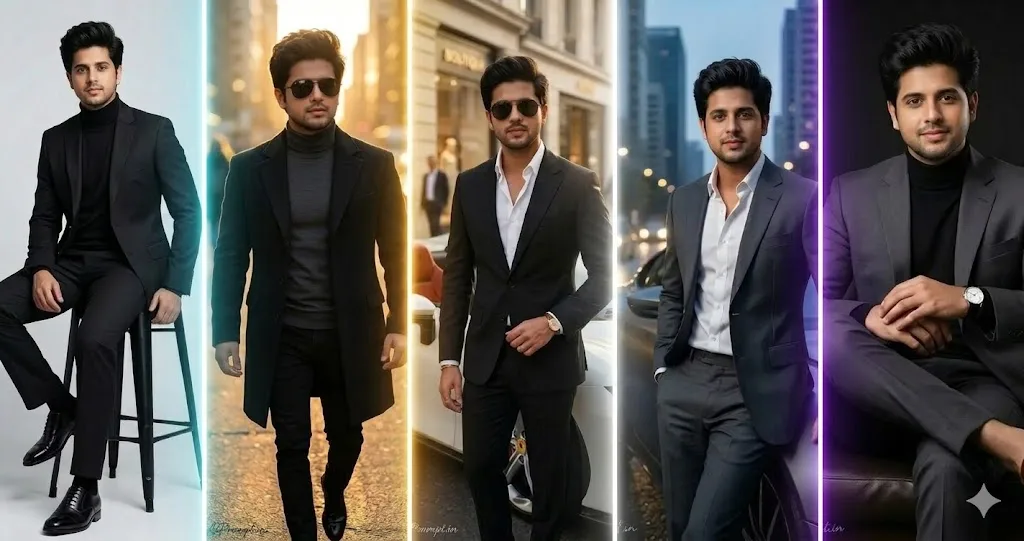
Create professional passport-size photos with AI using a simple and effective passport size photo prompt. This guide helps you generate realistic, high-quality ID photos with proper framing, clean backgrounds, formal clothing, natural facial details, and studio-style lighting. Whether you need a passport photo, visa photo, ID card picture, resume photo, or official document image, these AI prompts can help you achieve a polished result. Learn how to create printable passport photo sheets with multiple images arranged in grid layouts while maintaining consistent facial appearance, sharp focus, accurate colors, and realistic skin texture. Perfect for students, professionals, job applications, and everyday official documentation needs.
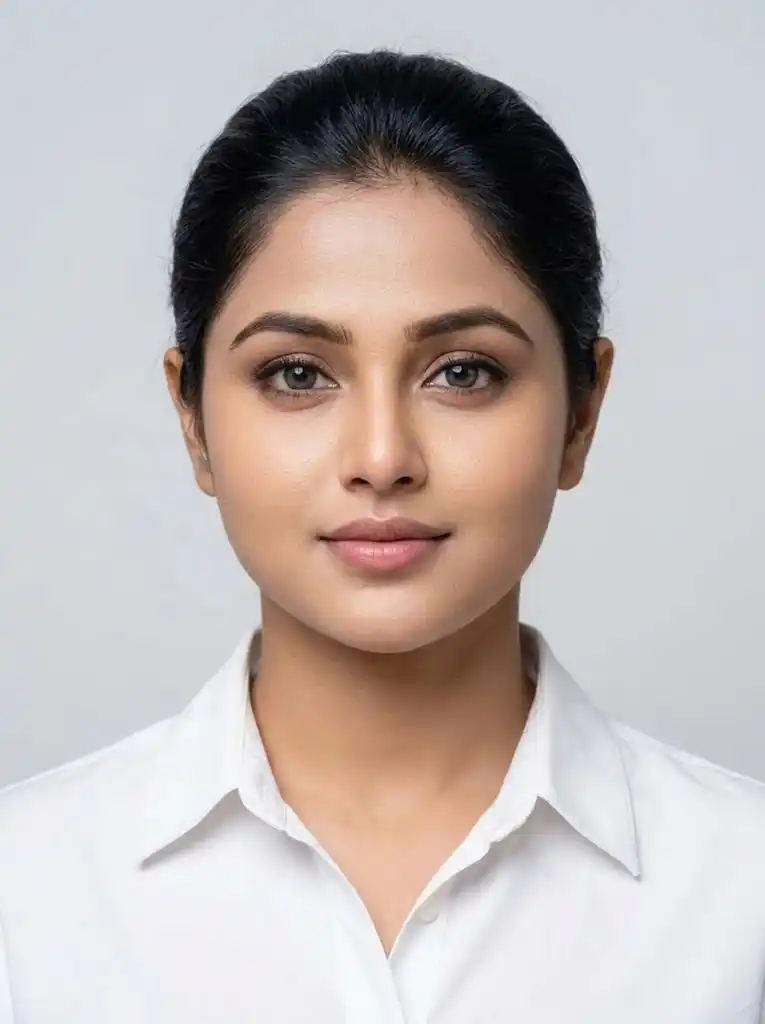
Create an ultra-realistic passport-size portrait based on the provided reference image. Preserve the person’s identity with complete facial consistency—do not alter, reshape, beautify, or replace any facial feature. Maintain the exact natural skin tone, facial proportions, bone structure, eyes, nose, lips, jawline, ears, hairline, and other distinctive details visible in the reference.Dress the subject in a clean, well-fitted white collared shirt with a subtle modern professional appearance. Keep the expression natural and neutral, with lips gently closed and a slight, understated smile. The subject must look directly into the camera with a straight, forward-facing gaze.Keep the head perfectly upright and centered, with no tilting, bending, or rotation. Shoulders must remain straight, level, and naturally aligned. Both ears should be clearly visible and proportionally positioned. Ensure the eyes are evenly aligned and the face is symmetrically positioned within the frame.Use standard passport-style composition with the entire head and neck clearly visible and an appropriate portion of the shoulders included. Place the subject centrally against a clean, plain, light-colored background.Use soft, evenly distributed studio illumination with minimal shadows, accurate exposure, natural colors, realistic skin pores and texture, and crisp professional focus. The final result should look like a genuine high-quality studio photograph suitable for official identification purposes.Strictly avoid facial modification, identity changes, excessive retouching, skin smoothing, makeup enhancement, stylization, filters, artistic effects, artificial sharpening, distortion, exaggerated expressions, warped ears, asymmetrical eyes, tilted posture, unnatural colors, or any alteration that makes the person look different from the reference image.
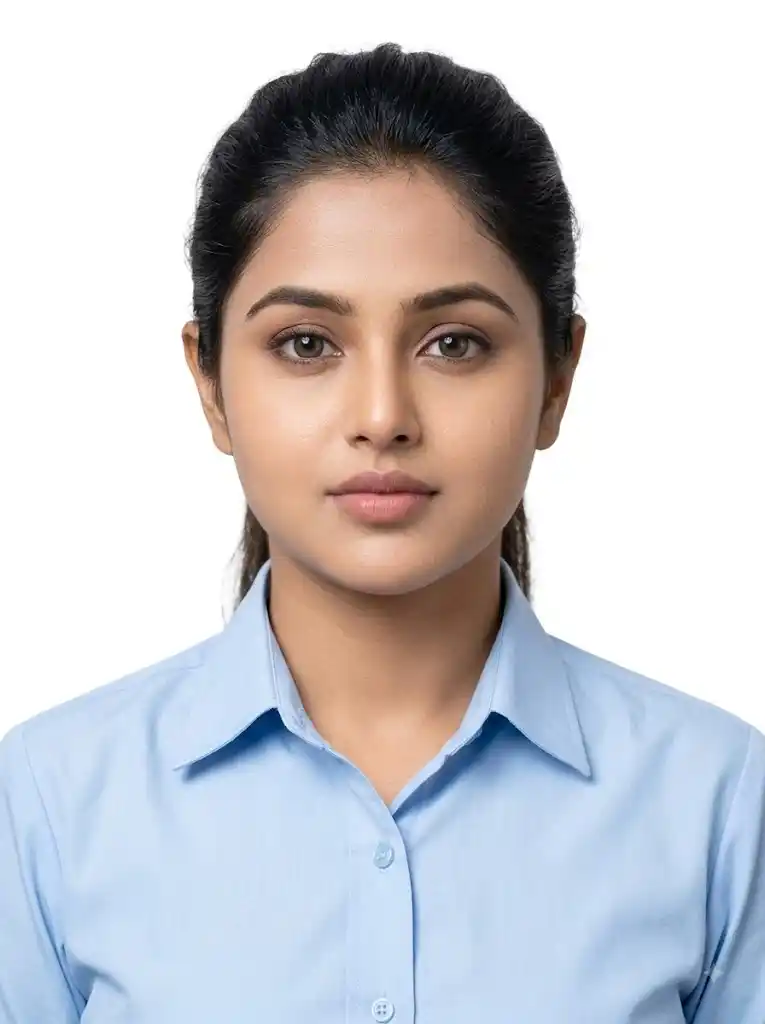
Generate a high-resolution, realistic passport-style portrait from the supplied reference photograph. Preserve the subject’s identity and natural facial appearance precisely, without changing or reshaping any facial characteristics. Keep the original face proportions, skin tone, eyes, nose, lips, jawline, ears, and other recognizable details consistent with the reference.Dress the subject in a clean, neatly pressed light-blue shirt with a simple and formal student-appropriate appearance. Keep the hairstyle tidy, natural, and well-groomed without making it look artificially styled.Use a completely plain white background appropriate for official passport and ID photographs. Frame the subject centrally with the head facing directly toward the camera. Maintain an upright neck, perfectly straight head position, and level shoulders. Ensure both ears are naturally visible and the eyes are horizontally aligned.Keep the facial expression calm and neutral with a natural closed-mouth appearance. Use soft, evenly balanced studio lighting that produces minimal shadows while maintaining authentic skin texture, natural complexion, and fine facial details.The final image should have crisp focus, realistic proportions, accurate colors, and a clean professional photographic appearance. Do not apply beauty filters, excessive retouching, face enhancement, skin smoothing, artistic effects, stylization, distortion, reshaping, or any modification that changes the subject’s recognizable identity. The result should look like an authentic professional passport/ID photograph.
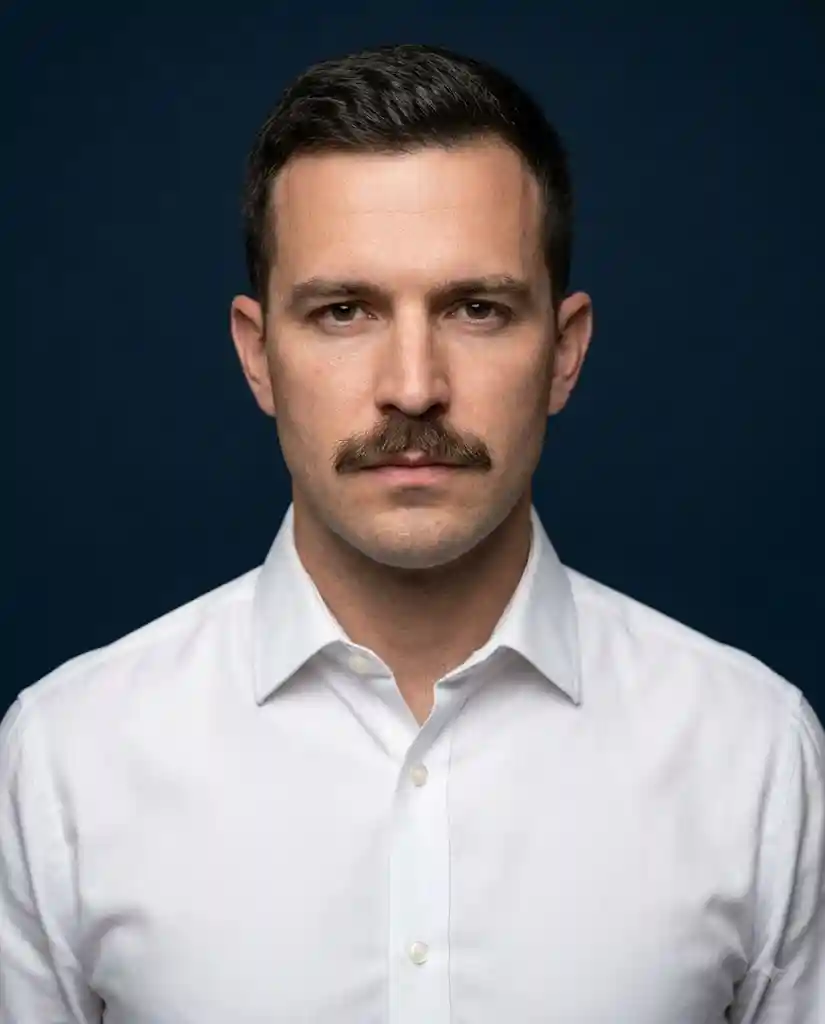
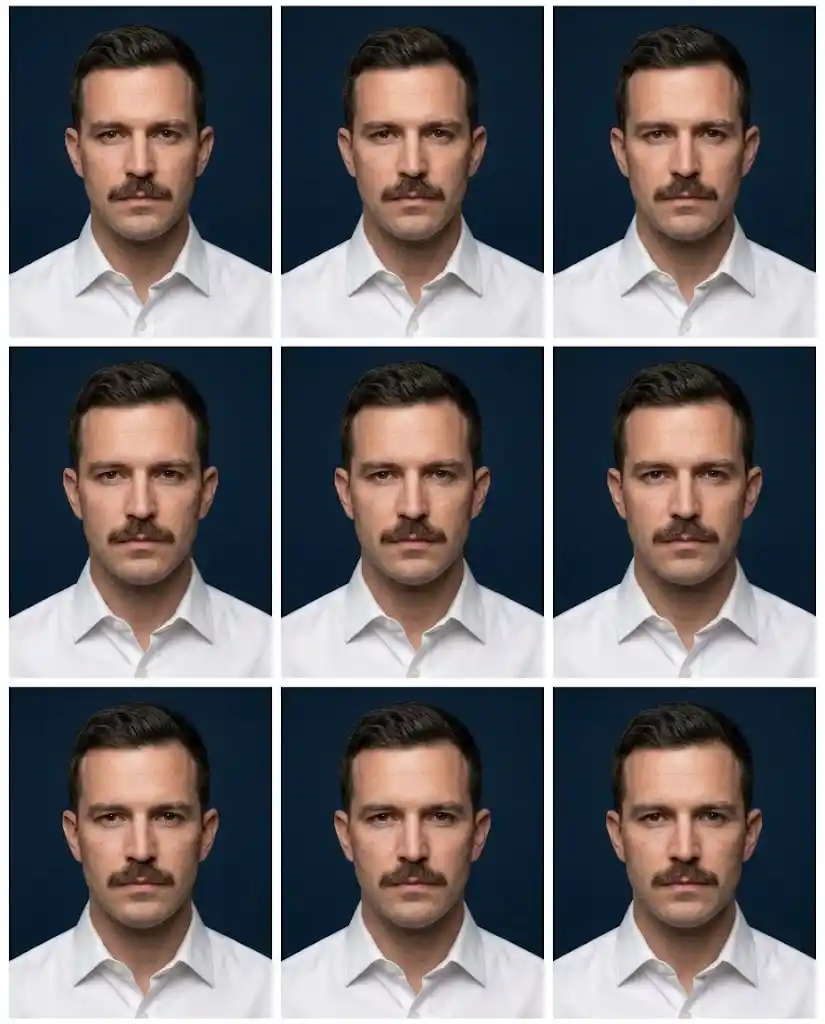
Create a highly detailed, photorealistic portrait of a man dressed in a spotless, well-pressed white shirt, featuring a neatly maintained natural mustache. Position him against a rich, dark navy-blue background for a sophisticated and professional visual aesthetic.The subject should face the camera directly with a composed, self-assured, and serious expression. Use professional studio illumination to naturally define the facial structure, mustache, hair, and authentic skin texture while maintaining realistic highlights and subtle shadows.Capture the portrait with an 85mm portrait lens aesthetic, using a shallow depth of field that keeps the face exceptionally sharp while allowing the background to fall into a smooth, natural blur. Preserve realistic skin pores, fine facial details, accurate proportions, and natural color reproduction.Composition: centered head-and-shoulders framing, balanced facial positioning, cinematic yet realistic studio photography, clean background separation, high micro-detail, natural contrast, and premium photographic quality.Output in a vertical 4:5 aspect ratio with ultra-high-resolution 8K-level detail. Avoid artificial skin smoothing, plastic-looking textures, excessive sharpening, facial distortion, exaggerated features, filters, cartoon effects, or unnatural retouching.
Convert the supplied reference image into a highly realistic, professional passport-photo sheet featuring only the male subject. Preserve his identity and facial appearance faithfully, keeping the original facial structure, proportions, complexion, eyes, nose, lips, jawline, ears, and natural expression unchanged.Give the subject a clean, understated student-style haircut that appears naturally groomed and appropriate for an official identification photograph. Dress him in a formal, well-fitted coat suit with a neat and professional appearance.Place the subject against a simple, uniform, official-looking background. Use soft, evenly distributed studio illumination, accurate exposure, realistic skin texture, and crisp photographic detail. The face should remain natural without excessive retouching or artificial enhancement.Maintain proper ID-photo posture throughout: head facing straight toward the camera, neck upright, shoulders horizontal and level, eyes evenly aligned, and both ears naturally visible. Keep the subject centered with consistent head size and framing.Create **six matching passport-size photographs** arranged in a clean **2 × 3 grid**. Each individual photo must have identical composition, facial appearance, clothing, lighting, background, and framing. Separate the six photographs with thin, clean white partition lines.The final sheet should resemble a professionally prepared official passport/ID photo print: realistic, consistent, sharp, clean, and properly aligned. Do not introduce facial alterations, identity changes, distorted proportions, unnatural skin smoothing, beauty effects, artistic styling, cartoon effects, excessive sharpening, inconsistent lighting, tilted posture, warped ears, asymmetrical eyes, or other artificial modifications.
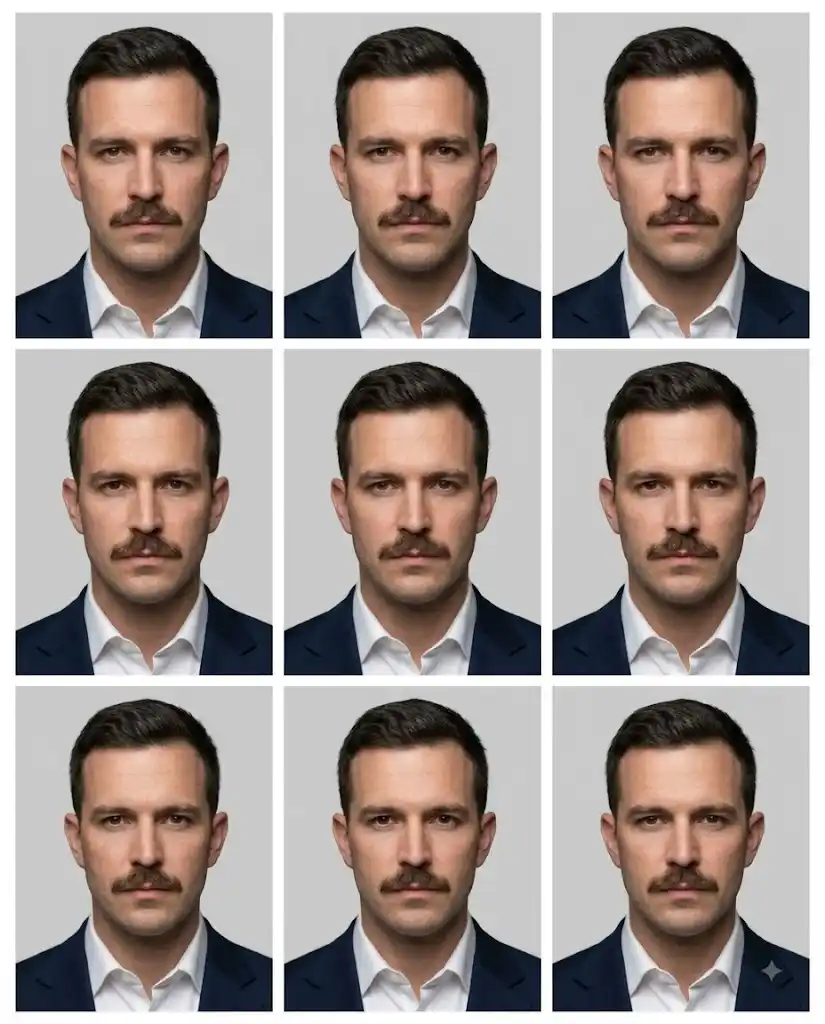
Generate a photorealistic professional studio portrait of a man dressed in a freshly pressed white shirt with a neatly maintained mustache. Place him in front of a rich, solid navy-blue backdrop. His face should be oriented directly toward the camera, with a composed, confident, and serious gaze.Use refined studio illumination that evenly reveals facial contours while preserving authentic skin pores, fine facial details, natural complexion, and realistic tonal variation. Create the visual impression of an 85mm portrait lens with a subtle shallow depth of field, keeping the subject’s face sharply defined and the background softly separated.Produce **nine visually identical passport-style portraits** using the exact same subject, pose, clothing, expression, lighting, framing, and background. Arrange them in a precise **3 × 3 grid**: three portraits across the first row, three across the second row, and three across the third row.Maintain consistent dimensions for every portrait, with a **4:5 aspect ratio for each individual image**. Keep uniform spacing, symmetrical alignment, clean margins, and thin white separation lines between the photographs. The complete composition should resemble a professionally prepared, print-ready photo sheet.Ensure every image remains consistent in facial proportions, sharpness, exposure, color balance, and positioning. Render at ultra-high resolution with 8K-level detail, crisp focus, accurate colors, realistic skin texture, and professional photographic quality.Avoid facial distortion, identity changes, artificial skin smoothing, excessive retouching, inconsistent expressions, mismatched lighting, warped proportions, duplicate-face artifacts, blur, noise, cartoon styling, filters, or decorative effects.
5
Preparing Copy...
Conclution-
Creating a professional passport-size photo with AI becomes much easier when you use a well-structured prompt. The right prompt can help maintain a natural facial appearance, proper framing, clean background, formal clothing, balanced lighting, and high image quality. Whether you need photos for passports, visas, ID cards, resumes, or other official purposes, these AI prompts can save time and effort. Always check the specific size, background, and photo requirements of the organization before using an AI-generated image for official documentation. With the right instructions, you can create clean, realistic, and professional-looking passport-size photos quickly and conveniently.